Cutting, folding, kisscutting, creasing and perforating machines, corner rounders, cylinder dye cutters and everithing you need to finish your printed material, direct from manufacturer...
This machine is designed for cutting roll‑type, strip‑based materials with high precision. In a single workflow it not only cuts the material to size, but also performs small die‑cut operations around the cutting area. This makes it ideal for label production, adhesive tapes, technical foils, packaging materials, and any application where cutting and micro‑punching must happen together.Built for reliability, repeatability, and industrial‑grade performance.
Now we've equipped this electric paper punch with a feeder unit. In this video the device sticks two rolls of hook and loop Velcro tapes together and cuts them into the desired length.
Certainly you can not only cut with this device. In the next video we test the device with a steel rule die and with a quite a special task.
Because there is little space left in the machine we couldn't use the usual programmable logical controller, we used an Arduino micro controller. So there is no display for setting the parameters, you can do it with your smartphone. Perhaps the younger generation will prefer this solution?
1. Sticking cardboard strips on a foam material to align the sheet to.
Stick some foam material onto the die cutting tool and stick cardboard strips with double sided self adhesive tape on the foam. You can position the sheets which you want to die cut to this cardboard strips. Perhaps this is the easiest solution but the accuracy is sometimes not enough. Unfortunately the foam allows not only up/down movement the positioning cardboard strips can move during the process sideways.
The problems with the accuracy of the positioning with cartons trips sticked on foam material can be eliminated with using positioning pins as in the following pictures.
Thie die cutting cylinder can push down the collapsable pins and a spring pushes them back.
There are 8 positioning pins at the corners of the sheets to be die cutted.
Mount a piece of transparent plastic with a hinge on the die board. Place positioning marks on the plexy. In this tool we pressed the the plexy against the cutting edges so that the trail of the cutting lines should appear on the plexy. We have strengthened this traces with a marker pen. (blue lines in the picture) Place a sheet on the tool, fold the plexy above the tool and align the sheet to the marks on the plexy. Fold the plexy away, place a cutting plate on the sheet and now you can die cut with your cylinder die cutter.
5. Fold up table
Mount a fold up plate with hinges on the table of the die cutter and fix the tool onto this plate. Stick cardboard strips on the cutting plate to position the sheets. In this way you can place also creasing matrix on the table to improve the quality of creasing.
Unfortunately this solution needs more cutting pressure and you can't cut big, complicated shapes or hard materials in this way.
We can manufacture transparent die cutting tools so you can position it easily to the printed pattern. This solution is optimal if the sheet is big and the die cutting tool is small.
Paperfox KB-32 is a really versatile device, which is originally equipped with a euro slot punch tool.
You can replace this tool with another die cutting tool and you can punch even special holes. If you replace the creasing tool with a die cutting tool then you can punch in the middle of bigger sheets as well.
Paperfox presses are great devices for die cutting and punching, if the size and position of the shape to be cut is consistent with the capabilities of the machine. It is an often asked question that which Paperfox device able to cut the desired shape, so I try to describe the most important datas.
The Paperfox MP-1 press is suitable to use with 60x30mm punch tools and the edge of the sheets can extend beyond 10mm to the punch tool as shown in the figure below.
Unfortunately, the whole 60x30mm size can not be used for punching, because the distance between the cutting rules and the edge of the tool body should be at least 2-4mm, and the position of the screws (the gray circle in the picture below) can not be used for punching.
If you don't fix the tool and the cutting plate with screws and secure them with a double-sided adhesive tape, you can die cut also at the position of the screws. If you need a larger punch tool, a larger, customised additional plate, similar to the one shown on the image below, can help.
This cutting plate makes possible to use even 60x140mm tools with the MP-1.
The Paperfox MP-2 press (and the MPE-2 electric press) uses similar tool and cutting plate to MP-1 press, but the edge of the sheet may extend even 30mm to the edge of the tool.
Do you need more? The customised machine-monster on the picture bellow can punch even at 20cm distance from the edge of the sheet!
The KB-32 Combined punching and creasing machine has similar die cutting tool and cutting plate to the MP-1, but the original creasing tool can be replaced with a die cutting tool and the device cna punch anywhere on the maximum 380mm wide sheets.
Although in the KB-32 can be mounted with up to 380x60mm die cutting tool, it is recommended to use only up to 140x60mm tools because of the limited rigidity of the device. The cutting rules can not be closer to the edges of the tool body at 2-4mm, and you can not use the position of the fixing screws for die cutting as it shown in the picture below.
You can try using longer punch tools, but the result is not guaranteed. If necessary, up to 140x100mm tool can be mounted into the press with the individual additional plates as shown in the figure below.
If the maximum 380mm width of KB-32 is insufficient, a similar device up to 70cm width can be made.
If the desired punching can not be done on the Paperfox presses, a Paperfox cylinder die cutter can be the solution to use up to 700x860mm die cutting tools.
The Paperfox KB-32 die cutter is a really versatile device, you can crease, die cut and punch with it.
With some modification as in the picture bellow you can die cut even 9x12cm products.
The modifications:
2 pcs 10x14cm steel plate mounted into the device
The M8 screws at the right side of the picture are changed for longer ones
The spring and the pressing bar also should be changed
We equipped the device with a setting screw (left side of the picture) to limit the pressing force
With this setting screw you can limit the cutting force
The mayor davantage of the transparent die cutting tool, that you can adjust the cutting lines to the printed elements.
Place a cutting plate under the sheet to be cut, put the tool on the sheet and position the tool to the printed elements. Place all together into the die cutter and cut it.
There are no ejecting rubbers in the tool so you can see the printed elements well. There is a hole on the tool so you can remove the cutted paper manually from the tool.
Flatbed die cutter cut the full size of the sheet simultaneously. The cylinder of the cylinder die cutters roll above the material to be cut and the cutting made under the cylinder.
1. Die board
2. Steel rule die
3. Cylinder
4. Material to be cut
5. Section under cutting
Unfortunately, the cutting happens not at one point, but beside the cylinder a few millimeters.
Consequently the cutting force (F) is not perpedicular to the surface there is a longitudinal component (F2) as well. This force causes the longitudinal sliding effect of the sheet to be cut in cylinder die cutters.
Our customer often asked us that what is the maximal size of the tool which can be used on our cylinder die cutters. Now I'll try to explain this issue.
If you remove the creasing tool from your Paperfox KB-32 punching/creasing machine, you can die cut with it. Die cutting different materials with different die cutting tools needs different cutting pressure. To ensure the constant cutting force during die cutting we developed an adjustable limit bumper for this device.
But what can we do if we want to die cut bigger shapes?
Let's change the creasing tool of the KB-32 to a die cutting tool! Certainly the rubber surface used at creasing is not proper for die cutting, but it you turn the BL-32 cutting plate with the rubber side down the you can make a perfect die cutting or perforating. In this way the elastic rubber compensates the inaccuracy and the limited rigidity of the device. If you die cut stronger materials maybe it is better to use solid plastic cutting plates.
What is the maximal size of the die cutting tool which can be used in KB-32?
Actually you can put even 60x380mm tools in the device but usually you can die cut only up to 55x100mm format.
This is because of the limited rigdity of the KB-3. If you press down the handle (8) the upper (1) and lower (2) machine frame becomes curved. So the cutting pressure is smaller in the middle of the tool than at the sides. You can compensate this effect with placing some strips of paper (9) under the cuting plate (4) but the result is not allways suitable.
How can I position the die cutting in the sheets?
There are some solutions for this problem:
1. Positioning with the crasing paper guide
A standard accessory of the KB-32 is a paper guide which ensures the proper position. You can use this guide at die cutting as well. To ensure the longitudinal position you can usa a simple paper clip. The mayor advantage of this solution that you don't have to buy any extra accessories to your KB-32.
2. Positioning with the MA-500 table
You can buy an MA-500 table to your KB-32. You can position the sheets to the paper guide of the MA-500 table or you can stick some cardboard strips to ensure the desired position.
3. Using a special corner guide
A common task to cut the corner of the sheets. You can use a special corner guide to this purpose.
4. Custom tailored positioning elements
For die cutting items even with complex shape you can use a custom tailored positioning elements.
5. Positioning to the printed elements of the sheets
But what if you have to position the sheets to the printed positioning marks?
We have equipped the KB-32 with a transparent plastic plate on which you can mark the desired position of the printed positioning elements. In this way you can compensate the inaccuracy of the printing on the sheets and the die cutting will be in a perfect position to the printed elements.
6. Die cutting with a transparent tool
The simpliest solution to adjust the position of the die cutting to the print is the transparent die cutting tool. This solution is very useful if you want to die cut around for example photos.
7. Die cut letters
A special field of die cutting is die cutting letters or text.
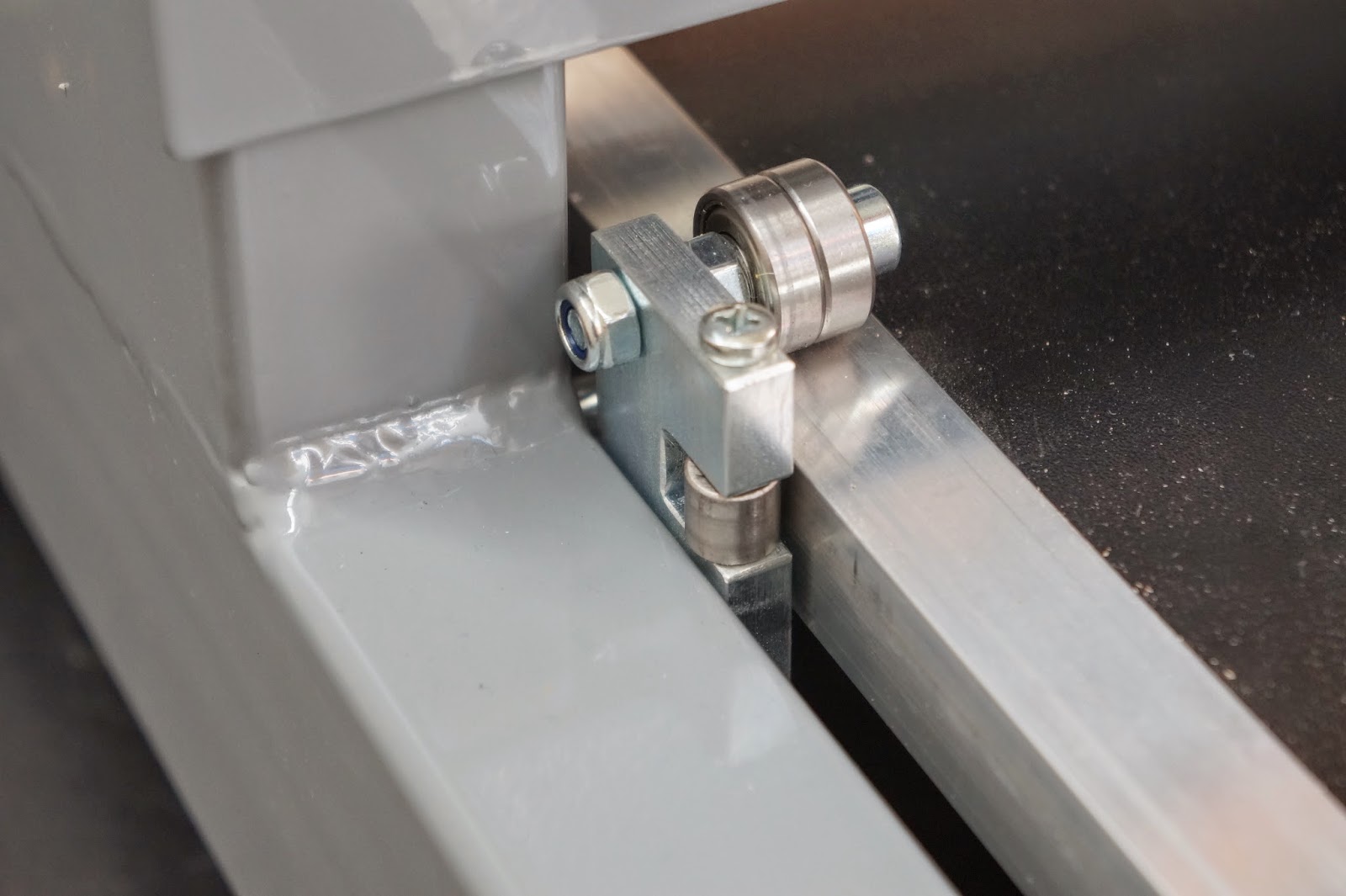
The Paperfox H-500A rotary die cutting machine is a very successfull Papefox product. Now we have fitted this brilliant device with new table guiding rollers to make the operation more stabile and user friendly.
This small manual die cutter is a special variant of the Paperfox MP-1 press with a special consol. So you can punch even small boxes with this device.
The box can be easily placed and positioned in the device so this is a great solution for making small cuts into boxes.
Some customer of us has asked, that how could they punch with the Paperfox paper punches so that the hole should be positioned to the printed elements on the sheet. The printed elements maybe not always in the same place on the sheets, so the positioning the edge of the sheets to the paper guides not a proper solution.
Stick a transparent foil on a 3mm thick plastic plate. (You can use a VLPOM cutting plate. )
Use an adhesive band and stick the foil at a side on the plastic plate.
The plastic foil can be folded up, but if you fold it back it will always get back in the same position.
Place the plastic plate under the MP-1 press equipped with a MPA-1 table and position it to the paper guides as in the picture.
Punch the foil with the Paperfox MP-1 paper punch.
Now the plastic plate and the punched transparent foil looks like in the following picture:
Insert the sheet which you want to punch under the transparent foil and position the printed elements on the sheet under the punching in the transparent foil.
Place the plastic plate with the transparent foil and the paper which you want to punch under the MP-1 paper punch. Position the plastic plate to the paper guides.
Punch the paper! In this way you can punch the sheet in the required place.
Paper is our world!
In several small and big printing and binding companies all over the world working PAPERFOX machines every day for the best statisfication of our clients.
Zoltán Fürcht
"Each of my clients knows Paperfox as a reliable supplier of powerful and durable equipment.
As Hungarian entrepreneurs, I am proud that the expertise of my staff, not only in our country estimated.
Many customers from all over Europe producing with our devices mailings, flyers, presentation folders, packaging materials, etc..
I would like to take this opportunity to thank you for your loyalty and the many recommendations. "
Zoltan Fürcht
and the whole Paperfox Team